

Können Sie XbotGo-Videos auf dem Computer bearbeiten?
Ja, Sie können XbotGo-Videos problemlos auf Ihrem Computer mit jeder professionellen Videobearbeitungssoftware bearbeiten . Unser System zeichnet im Standard-MP4-Forma...
Die meisten Ratgeber zu den besten Volleyball-Kameras für Aufnahmen fangen mit Sensorgröße und Zoombereich an. In einer Schulsporthalle ist beides nicht dein Problem.
Deine Probleme sind: Die Decke ist niedrig, die Wände stehen nah, und das Licht ist dunkler, als du denkst. Löst du das, liefert dir schon eine einfache Kamera Aufnahmen, mit denen ein Trainer arbeiten kann. Ignorierst du es, bekommst du von einer teuren Kamera ein unscharfes Bild vom Hinterkopf irgendeines Zuschauers.

Das Volleyball-Regelwerk selbst legt die Latte beim Licht niedrig. USA Volleyball verlangt gerade einmal 300 Lux – etwa 28 foot-candles –, gemessen einen Meter über dem Boden, und die Schulsportregeln der NFHS machen zur Hallenbeleuchtung gar keine Vorgaben. Zum Vergleich: Das FIVB-Regelwerk fordert für seine Top-Events mindestens 2.000 Lux. Die Halle deines Kindes darf also ganz legal rund sieben Mal dunkler sein als eine Profi-Arena.
Dieser Unterschied erklärt komplett, warum deine Aufnahmen rauschen. Um einen Angriffsschlag scharf einzufrieren, brauchst du eine kurze Belichtungszeit, dafür brauchst du Licht – und Licht hat dir hier niemand versprochen.
Dazu kommt die Geometrie. Das Feld ist 18 mal 9 Meter groß, und der Ball bleibt bis 15 feet über dem Boden regulär im Spiel – empfohlen ist aber nur eine Deckenhöhe von etwa 23 feet. Deine Kamera muss also einen hohen Raum von einem niedrigen Standpunkt aus abdecken. Schlimmer noch: Die NFHS verlangt außerhalb der Begrenzungslinien lediglich 6 feet freie Fläche. In den meisten Hallen kannst du schlicht nicht weit genug zurückgehen, um das Feld ins Bild zu bekommen.
Zurückgehen geht nicht. Also musst du nach oben.
| Kamera | Aufbau | Am besten für | Laufende Kosten |
|---|---|---|---|
| XbotGo Falcon | Mobil, Stativ | Vereine und Familien, die jede Woche filmen | Keine für die Kernfunktionen |
| Hudl Focus Indoor | Feste Installation | Schulen mit Budget und eigener Halle | Abo |
| Veo Cam 3 | Mobil, Stativ | Vereine, die ohnehin im Veo-Ökosystem sind | Abo |
| Pixellot Air | Mobil, Stativ | Ligen, die automatisierte Streams wollen | Abo |
| GoPro oder Action-Cam | Mobil, Stativ | Günstige, improvisierte Notlösung | Keine |
| Handy auf einem Lichtstativ | Mobil, Lichtstativ | Einzelne Spiele, kleines Budget | Keine |
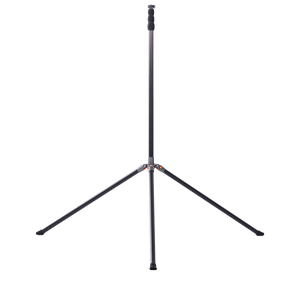
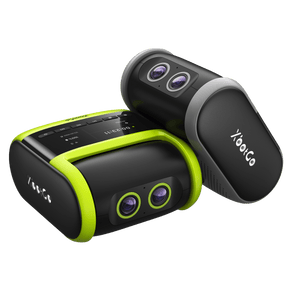
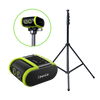
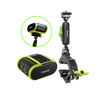
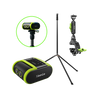
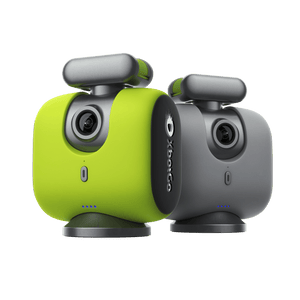
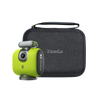
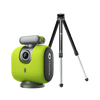
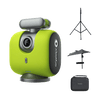
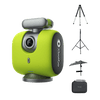
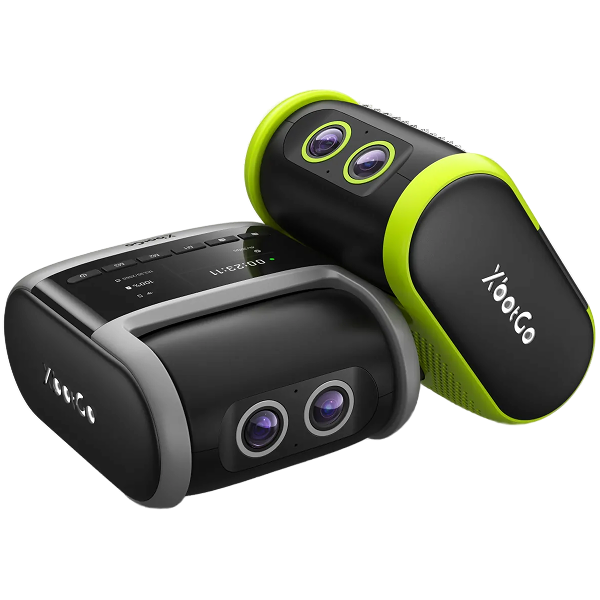
Wenn du die Höhe willst, ohne dass jemand daneben stehen muss, lohnt sich ein Blick auf den XbotGo Falcon. Sein Volleyball-Modus führt dich direkt auf dem Display durch den Aufbau: Stell das Stativ 3 m (etwa 10 ft) außerhalb der Seitenlinie auf, fahr es auf 2,5 m (etwa 8 ft) hoch und dreh es dann so, dass das Objektiv auf die Mittellinie zeigt – damit hast du das ganze Feld im Bild.

Von dort aus gehst du live auf YouTube, Facebook, TikTok oder jedes beliebige RTMP-Ziel, während die Kamera weiter aufnimmt, und blendest für die Familie zu Hause ein Live-Scoreboard ein. Aufnahme, Tracking und Streaming laufen ohne Abo.

Zwei ehrliche Einschränkungen: Die microSD-Karte musst du selbst mitbringen, und der Akku hält etwa vier Stunden – Aufwärmen plus ein Spiel, aber kein kompletter Turniertag ohne Zwischenladen.
Wird fest in der Nähe der Mittellinie montiert, filmt komplett freihändig und spielt direkt in Hudls Analyse-Tools ein. Der reibungsloseste Ablauf, wenn dein Verein ohnehin in diesem Ökosystem unterwegs ist. Aufgenommen wird in HD statt 4K, es braucht eine Installation und ein Abo – womit die Kamera für Vereinsmannschaften, die Hallenzeit mieten, ausscheidet.
Eine feste Weitwinkelkamera ohne bewegliche Teile, die das ganze Feld aufnimmt und den Ausschnitt nachträglich setzt. Im Fußball bewährt und auf dem Volleyballfeld brauchbar, nur ist das Abo der eigentliche Kostenpunkt und der Bildausschnitt wurde für deutlich größere Plätze entwickelt.
Gebaut für automatisierte Aufnahmen und Streams, beliebt bei Ligen, die jedes Feld abdecken wollen, ohne jemanden dafür abzustellen. Ebenfalls mit Abo – rechne also eine Saison an Gebühren gegen eine Einmalzahlung.
Günstig, robust und übersteht es, umgeworfen zu werden – was mehr zählt, als du denkst. Die Nachteile sind real: In den weitesten 4K-Modi biegen sich die Feldkanten zu einer Fisheye-Kurve, und viele Modelle überhitzen und schalten sich bei 4K60 nach rund 30 Minuten ab. Nimm Ersatzakkus mit.
Der häufigste Aufbau in jeder Halle, und er funktioniert. Der Haken: Dein Handy hängt jetzt zwei Stunden lang 10 feet über dem Boden. Ein Volleyball-Vater bringt es so auf den Punkt: „iPhones sind super und praktisch, aber ich hätte mein Handy während des Spiels gern selbst in der Hand.“

Und jetzt der Teil, den dir kein Kameravergleich verrät. Ein Volleyballfeld ist etwa ein Vierzigstel so groß wie ein Fußballplatz. Eine Kamera an einer Position sieht alles davon.
Das ändert, was du kaufen solltest. Im Fußball zahlt sich Tracking aus, weil der Ball 100 Meter weit fliegt und kein festes Bild ihn hält. Im Volleyball verlässt der Ball selten einen Bereich, den du mit einem Weitwinkel und einem hohen Stativ abdeckst. Ein erfahrener Volleyball-Vater sagt es ganz nüchtern: Die Kamera „muss gar nicht tracken“ – was er wollte, waren automatische Highlights im Anschluss.
Investier also zuerst in Höhe. Kommst du über die vordere Reihe, siehst du die Beinarbeit der hinteren Reihe, und genau darum geht es bei Spielaufnahmen. Bleibst du auf Augenhöhe, verschwindet dein Libero bei jedem Ballwechsel hinter einem Blockspieler. Ein Tipp, der unter Vereinseltern die Runde macht: Ein gefedertes Lichtstativ kommt höher als ein Kamerastativ, kostet weniger und hat einen schmalen Fuß, über den in einer vollen Halle niemand stolpert.

An dieser Stelle widersprechen sich die Ratschläge, und darüber lohnt sich ein klares Wort.
Für Tracking und Teamanalyse filmst du von der Seitenlinie. Genau das gibt auch die Aufbauanleitung des Falcon vor, und aus diesem Winkel siehst du Aufstellung und Rotation beider Mannschaften auf einen Blick. Einer Tracking-Kamera kommt das ebenfalls entgegen, weil das Geschehen mittig bleibt.
Für Bewerbungsvideos an Colleges filmst du von der Grundlinie. Recruiting-Koordinatoren verlangen durchgängig eine mittige Einstellung von der Grundlinie, 8 bis 10 feet hoch, auf der Seite deiner eigenen Mannschaft – wechsle also die Seite, wenn die Teams wechseln. Von hinten erkennt ein Trainer Anlaufwinkel und Abwehrpositionen, die eine Seitenansicht flach wirken lässt.

Beides stimmt. Es sind nur zwei verschiedene Aufgaben, und eine Kamera an einer Position kann nicht beides leisten.
Trainer wollen außerdem etwas, das viele überrascht: ungeschnittene Aufnahmen. Wie einer in einem JVA-Ratgeber zum Recruiting erklärt, zeigen Highlight-Reels die Technik, komplette Spielaufnahmen dagegen, „wie sie auf Fehler reagieren“. Nimm das ganze Spiel auf, nicht nur die guten Teile.
Und eine Warnung, die niemand druckt: Deine Kamera nimmt auch deine eigene Seitenlinie auf. Trainer haben Bewerbungsvideos geöffnet und gehört, wie Eltern einen ganzen Satz lang Spielerinnen kritisieren.
Die besten Volleyball-Kameras für Aufnahmen sind nicht die mit den größten Sensoren. Hallen sind laut Regelwerk dunkel, Decken sind niedrig, und Platz zum Zurückgehen gibt es nicht – Höhe und ein Bild vom ganzen Feld schlagen deshalb jedes Datenblatt.
Entscheide vor dem Kauf, wofür die Aufnahmen gedacht sind. Teamanalyse führt dich an die Seitenlinie, Recruiting zu einer mittigen Einstellung von der Grundlinie und zu vollständigen, ungeschnittenen Spielen. Bring die Kamera nach oben, hol das ganze Feld ins Bild und prüf vor dem ersten Aufschlag deinen Speicher. Und wenn es am Ende der Falcon wird, lohnt es sich, vor dem ersten Spiel den Aufbau für Volleyball zu lernen – die Stativhöhe ist der Punkt, den die meisten falsch machen.