

Can You Edit XbotGo Video on Computer?
Yes, you can easily edit XbotGo videos on your computer using any professional video editing software. Our system records in standard MP4 format, ensuring complete com...
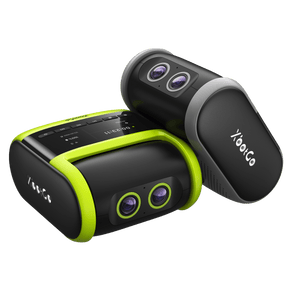
The XbotGo Chameleon is designed for users wanting to capture high-quality sports footage effortlessly. This guide will help you set it up correctly and troubleshoot any issues you may encounter.
Press the power button until the device completes its self-check.
Ensure the Chameleon is fully charged before using it.

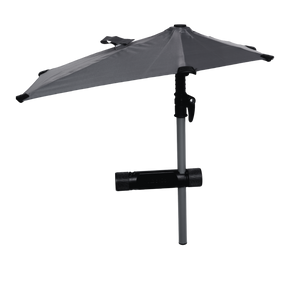
Remove any phone case to help with heat dissipation.
Use a compatible device:
iPhone 11 or newer
Android phone with Qualcomm Snapdragon 888 or newer

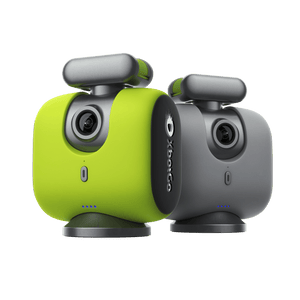
XbotGo Chameleon
Smartphone: Ensure compatibility with the specifications mentioned above.
XbotGo App: Download from the App Store or Google Play.
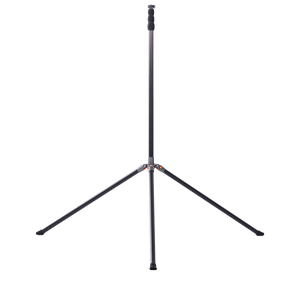
Tripod: Make sure it has a 1/4" screw head for mounting.
Install the Chameleon on a tripod near the center line of the field.
Center and balance your smartphone in the clamp, ensuring that the camera aligns with the Chameleon's camera.

Open the XbotGo app on your smartphone.
Enable Bluetooth and allow the app to access Bluetooth.
Tap “Add Device” and select Chameleon from the list of devices.

Begin capturing the game. The XbotGo will automatically track players and can be set for live streaming.
Solution:
Reset the Chameleon's Bluetooth by double-clicking the power button.
Restart both the Chameleon and your smartphone.
Solution:
Ensure both the app and the firmware are updated to the latest version.
Check that your phone’s camera is properly aligned with the Chameleon.
Confirm that your phone's battery is adequately charged.
By following these steps, you can successfully set up and use your XbotGo Chameleon to capture high-quality sports footage. Troubleshoot any issues as needed to enhance your experience. Enjoy filming your sports moments!