

XbotGo Falcon

How to Make Basketball Highlight Videos for Recruiting
College coaches receive 200 to 300 basketball highlight videos for recruiting every single day at busy programs. Most are gone in under 30 seconds — not because the player wasn’t talented, but because the video didn’t work.
Fewer than 6% of high school basketball players go on to play at any college level, according to ScholarshipStats. Getting seen is the first battle. Your highlight reel is the tool that starts that conversation.
According to NCSA Sports, athletes who include a highlight video on their recruiting profile are 12 times more likely to be viewed by a college coach than those without one. But that advantage only holds if the video actually delivers.
Here’s what coaches want to see, how to build the reel, and the mistakes that kill your chances before the first play ends.

What Coaches Are Actually Looking For
Most players assume coaches want to see dunks and game-winners. That helps — but it’s not enough.
Coaches want to see defense. A reel that shows only offense is a warning sign. They read it as either “this player can’t defend” or “this player doesn’t understand the game.” Include five or six defensive plays — a charge taken, a loose ball dived for, a help-side rotation, a steal. These almost never appear on highlight reels, which is exactly why they stand out.
They want high-level competition. Footage against weak opponents tells coaches nothing. Use varsity games and elite AAU tournament clips. If varsity film is limited, AAU footage works.
And they want basketball IQ. That means the extra pass, the off-ball cut, the screen that freed a teammate. Coaches aren’t just filling roster spots — they’re building systems. Players who read both ends of the floor are rare.
How to Structure Your Basketball Recruiting Highlight Reel
Length: 3 to 5 minutes. Under 3 feels shallow. Over 7, most coaches move on.
Open with your best 30 seconds. Coaches decide fast. Your opening clip needs to be athletic and impressive — a strong finish, a contested shot, a key defensive play. Not a half-court buzzer-beater and not free throws.
Organize by skill category, not by game date. Don’t cut chronologically. Group clips by type: perimeter shooting first, then rim finishing, then passing and creation, then defense. This tells a coherent story of your game. Coaches can follow it without tracking which game is which.
Include an intro title card. Put your name, graduation year, position, jersey number, school, and contact info in the very first frame. Coaches watch dozens of videos in one sitting. Make it impossible to forget who you are.
Attach one full, unedited game. Highlights get coaches interested. Full game film is how they actually evaluate. They want to see your effort in the slow moments, your body language after mistakes, and whether those highlights happen twice a game or twice a season. Send both.

Getting the Right Footage
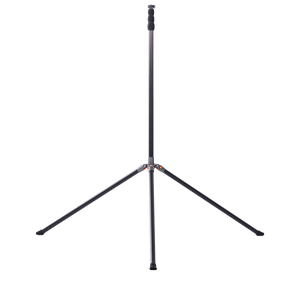
Camera position matters more than camera quality. Use a tripod at mid-court, roughly eye level. No zooming while the play is happening — you need to see the full play develop so coaches can read your decision-making, not just the finish.
Don’t film from behind the basket. Coaches can’t assess spacing or off-ball defense from that angle. Mid-court, every time.
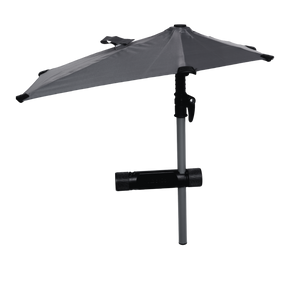
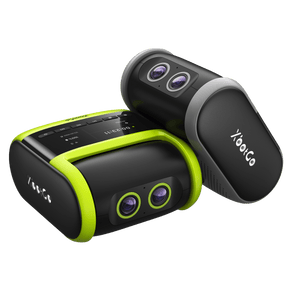
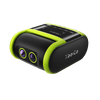
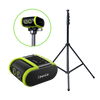
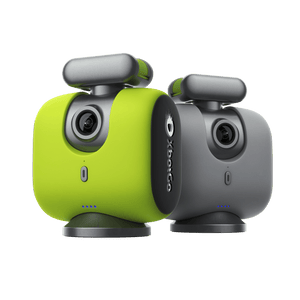
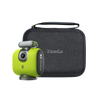
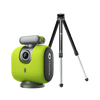
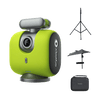
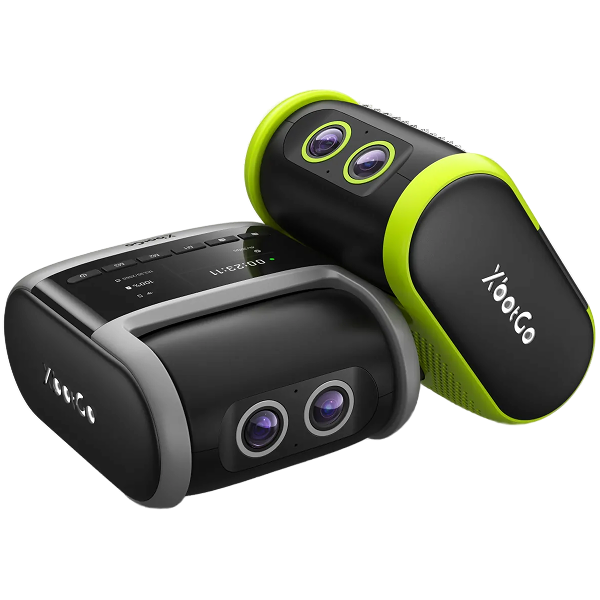
For families who struggle to get consistent game footage — no one available to run the camera, shaky phone video from the bleachers — the XbotGo Falcon might be worth a look. It’s a standalone 4K AI camera that auto-tracks players and can generate highlight clips automatically after the game — no operator required. If you’re playing in tournaments without a dedicated videographer, this is one practical way to make sure you’re walking away with usable, well-framed footage.

Editing and Hosting
Keep the editing clean. No background music. No slow-motion effects. No animated circles. Coaches want to see plays as they happened. Fancy editing signals you’re compensating for something.
For DIY editing, CapCut (free, works on phone) and iMovie (free on Mac) both handle this well. Hudl also has a built-in editor if your school already uses the platform.
Host on YouTube as unlisted. Universal access, no password required, loads fast anywhere. Any platform that makes coaches jump through hoops before the video starts is one they’ll close.

Mistakes That End Your Chances Early
- Only showing offense. Coaches treat it as a red flag, not a strength.
- No title card. They can’t remember who just played.
- Too long. Over 7 minutes, most coaches are done.
- Footage from weak competition. JV clips against poor opponents prove nothing.
- Music covering the game audio. Coaches need to hear the game.
- Every clip is the same type of play. Ten catch-and-shoot threes with no defense or playmaking signals a one-dimensional player.
- Trick plays and gimmick finishes. Coaches are recruiting for their system, not your mixtape.
When to Send Your Highlight Video
Most players start too late. According to NCSA, 63% of basketball recruits connect with coaches before their junior year.
|
Grade |
Video Goal |
Action |
|
9th |
Start collecting footage; rough first reel |
Build a Hudl or NCSA profile |
|
10th |
Polished reel ready before July evaluation period |
Email 30–50 programs with your video link |
|
11th |
Update your reel each season |
Contact position coaches or recruiting coordinators |
|
12th |
Refresh with early-season clips |
D1: position coach; D2/D3: head or assistant coach |
One overlooked channel: the phone. Coaches receive fewer than seven phone calls per week on average. A well-timed call after your video lands puts you in a very small group.
The Short Version
Getting basketball highlight videos for recruiting right isn’t about production value. It’s about giving coaches what they’re actually evaluating — defense, basketball IQ, competition level, and consistency. Keep it clean, lead with your best 30 seconds, organize by skill, and always send a full game alongside the reel.
The players who go unrecruited aren’t always the least talented. They’re usually just the least seen.