Γ
Aller au contenu
Open menu
XbotGoXbotGo
  • Prodotti
    Falcon

    Falcon

    Chameleon

    Chameleon

  • Accessoires
    Trépied NT1

    Trépied NT1

    Trépied NT4

    Trépied NT4

    NT4 Pro

    NT4 Pro

    Parapluie

    Parapluie

    Étui Chameleon

    Étui Chameleon

    Télécommande

    Télécommande

  • Sports et Utilisateurs
    Sports
    Football Basketball Hockey sur glace Crosse Football américain Handball
    Utilisateurs
    Parents Entraîneurs Clubs Joueurs
  • Sports
    Football Basketball Ice Hockey Lacrosse Football Handball
  • Utilisateurs
    Parents Coaches Clubs Players
  • Explorer
    Blog Communauté À propos de nous Dream to Goal
  • Centre d'aide
    Guide d'utilisation Service client
Recherche Panier Compte
  • Prodotti
    Falcon

    Falcon

    Chameleon

    Chameleon

  • Accessoires
    Trépied NT1

    Trépied NT1

    Trépied NT4

    Trépied NT4

    NT4 Pro

    NT4 Pro

    Parapluie

    Parapluie

    Étui Chameleon

    Étui Chameleon

    Télécommande

    Télécommande

    Tout afficher

    Tout afficher

  • Sports et Utilisateurs
    Sports
    Football Football BasketballBasketball Hockey sur glaceHockey sur glace CrosseCrosse Football américainFootball américain HandballHandball
    Utilisateurs
    ParentsParents EntraîneursEntraîneurs ClubsClubs JoueursJoueurs
  • Sports
    Football Basketball Ice Hockey Lacrosse Football Handball
  • Utilisateurs
    Parents Coaches Clubs Players
  • Explorer
    Blog Communauté À propos de nous Dream to Goal
  • Centre d'aide
    Guide d'utilisation Service client
Login

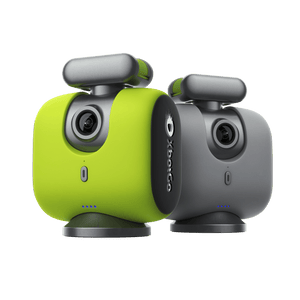
XbotGo Falcon

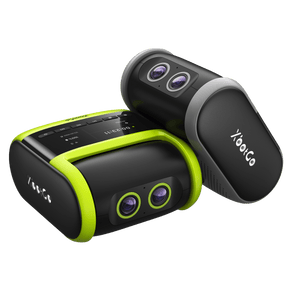
XbotGo Falcon All-in-One 4K Camera — just power on and play. Powered by XbotVision 3.0, it delivers high-speed, precise auto-tracking for soccer, basketball, hockey, and 10+ sports. The all-in-one app lets you stream live for free, edit with AI, and share highlights instantly. No subscriptions.
Learn More
XbotGo Falcon AI Sports Camera

How to Livestream to GameChanger with XbotGo (Step-by-Step)

XbotGo cameras are GameChanger-compatible, so you can broadcast a game straight to GameChanger while the AI keeps the action in frame. GameChanger picks up your camera as an External Camera — no capture card, no laptop, no extra hardware. Here's how to set it up.

Before You Start

  • An XbotGo camera paired in the XbotGo APP
  • The XbotGo APP and the GameChanger app installed on the same phone
  • XbotGo APP version 4.4.7 or later

How to Livestream to GameChanger

  1. Connect your XbotGo device in the XbotGo APP.

Connect your XbotGo device in the XbotGo APP

Connect your XbotGo device in the XbotGo APP

  1. Enter the shooting interface in the XbotGo APP.

Enter the shooting interface in the XbotGo APP

Enter the shooting interface in the XbotGo APP

  1. Open the GameChanger app, set up your livestream or recording settings, select “External Camera,” choose your audience settings, and select XbotGo as the external camera.

Select External Camera in the GameChanger app and choose XbotGo

Select External Camera in the GameChanger app and choose XbotGo

  1. You’ll be redirected back to the XbotGo APP. When the livestream start notification pops up, tap Yes to complete the setup.

Tap Yes when the livestream notification pops up in the XbotGo APP

Tap Yes when the livestream notification pops up in the XbotGo APP

  1. Your livestream starts automatically.

The GameChanger livestream running from an XbotGo camera

The GameChanger livestream running from an XbotGo camera

Wi-Fi Setup for XbotGo Falcon

By default, a Falcon livestream runs on your phone’s mobile data. To stream over Wi-Fi instead, set the network up in the XbotGo APP Live settings before you open the GameChanger app.

  1. Tap the live icon to open the livestream setup.

Tap the live icon in the XbotGo APP

Tap the live icon in the XbotGo APP

  1. Tap “Video & Network Settings.”

Tap Video and Network Settings in the XbotGo APP

Tap Video and Network Settings in the XbotGo APP

  1. iPhone: Tap “Select Wi-Fi Network,” choose your network, and enter the password. Once the screen shows “Connected XXX,” you’re set.

Select your Wi-Fi network on iPhone in the XbotGo APP

Select your Wi-Fi network on iPhone in the XbotGo APP

  1. Android: Tap “Select Wi-Fi Network” > “Set Wi-Fi Network,” then choose your Wi-Fi in your phone’s system settings. Return to the XbotGo APP, select the network from the list, and enter the password. A checkmark next to the name means it’s connected.

Select your Wi-Fi network on Android in the XbotGo APP

Select your Wi-Fi network on Android in the XbotGo APP

Once Wi-Fi is connected, open the GameChanger app and follow the livestream steps above.

Prefer Custom RTMP?

XbotGo APP 4.4.7 also added custom RTMP streaming to GameChanger — another easy way for teams, coaches, and parents to broadcast the game. See the XbotGo APP 4.4.7 update for the full feature list.

Partager

5 août 2026 — XbotGo Help
Articles plus anciens Retour à How tos
Email Icon

Acheter sur la boutique XbotGo

Livraison gratuite
Retours sans tracas sous 30 jours
Paiements sécurisés
Assistance client internationale
  • XbotGo Chameleon
  • XbotGo Falcon
  • Trépied T4 de 4 mètres
  • Trépied NT1 de 1,15 mètres
  • Accessoires XbotGo
  • Guide de l'utilisateur
  • Service client
  • Expéditions et retours
  • Suivi de commande
  • Rejoindre la communauté
  • Partenariat
  • XbotGo Cloud
  • Notre histoire
  • Blogs
  • Nous rejoindre
  • Conditions d'utilisation
Nous appeler : +1 (888) 894-1886
Heures d'ouverture : 8h00 - 18h00 EST ( Lun - Dim )
Nous contacter par e-mail :
Service client : Support@XbotGo.com
Marketing & Partenariats : Business@XbotGo.com
  • Facebook
  • YouTube
  • Instagram
  • TikTok
  • Discord
Amazon American Express Apple Pay Diners Club Discover Google Pay Mastercard PayPal Shop Pay Venmo Visa
  • Facebook
  • YouTube
  • Instagram
  • TikTok
  • Discord
Amazon American Express Apple Pay Diners Club Discover Google Pay Mastercard PayPal Shop Pay Venmo Visa
XbotGo Logo Play Hard, Film Smart

Politique de confidentialité | Vos choix en matière de confidentialité | Utilisation des cookies | Conditions d'utilisation | Préférences de cookies | Ne pas vendre ni partager mes informations personnelles

Copyright © 2026 XbotGo Tous droits réservés.

  • États-Unis (USD $)
  • English
  • Français
  • Español
  • Italiano
  • Deutsch
  • Português (portugal)
Votre panier
You may like
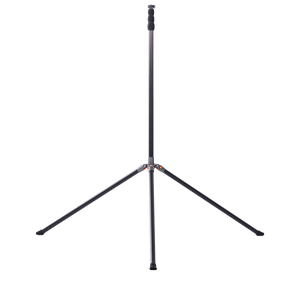
  • XbotGo NT4 PRO Carbon Fiber Tripod – 12.8ft
    De $249.99 USD
    Shop
    NT4 Pro Only
    XbotGo NT4 PRO Carbon Fiber Tripod – 12.8ft
    Falcon Green + NT4 Pro
    XbotGo NT4 PRO Carbon Fiber Tripod – 12.8ft
    Falcon Grey + NT4 Pro
    XbotGo NT4 PRO Carbon Fiber Tripod – 12.8ft
  • xbotgo umbrella
    umbrella suit
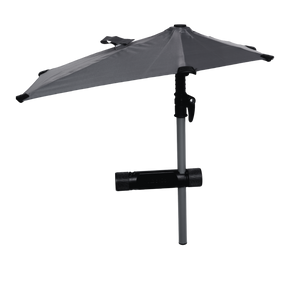
    XbotGo Weather Guard Umbrella
    $49.99 USD
    Shop
  • Fast & Free Shipping icon

    Fast & Free Shipping

  • 1-Year Warranty icon

    1-Year Warranty

  • 30-Day Free Returns icon

    30-Day Free Returns

  • Secure Checkout icon

    Secure Checkout

Pay your way
Amazon American Express Apple Pay Diners Club Discover Google Pay Mastercard PayPal Shop Pay Venmo Visa
Paiement
Votre panier
Your Cart is Ready!
Shop Now