Γ
Ir para o conteúdo
Open menu
XbotGoXbotGo
  • Produtos
    Falcon

    Falcon

    Chameleon

    Chameleon

  • Acessórios
    Trépie NT1

    Trépie NT1

    Trépie NT4

    Trépie NT4

    NT4 Pro

    NT4 Pro

    Guarda-chuva

    Guarda-chuva

    Estojo Chameleon

    Estojo Chameleon

    Telecomando

    Telecomando

  • Desporto e Utilizadores
    Desporto
    Futebol Basquetebol Hóquei no gelo Lacrosse Futebol americano Andebol
    Utilizadores
    Pais Treinadores Clubes Jugadores
  • Desporto
    Futebol Basquetebol Ice Hockey Lacrosse Football Handball
  • Utilizadores
    Parents Coaches Clubs Players
  • Explorar
    Blog Community About Us Dream to Goal
  • Centro de Ajuda
    User Guide Customer Service
Pesquisar Carrinho Conta
  • Produtos
    Falcon

    Falcon

    Chameleon

    Chameleon

  • Acessórios
    Trépie NT1

    Trépie NT1

    Trépie NT4

    Trépie NT4

    NT4 Pro

    NT4 Pro

    Guarda-chuva

    Guarda-chuva

    Estojo Chameleon

    Estojo Chameleon

    Telecomando

    Telecomando

    Ver tudo

    Ver tudo

  • Desporto e Utilizadores
    Desporto
    FutebolFutebol BasquetebolBasquetebol Hóquei no geloHóquei no gelo LacrosseLacrosse Futebol americanoFutebol americano AndebolAndebol
    Utilizadores
    PaisPais TreinadoresTreinadores ClubesClubes JugadoresJugadores
  • Desporto
    Futebol Basquetebol Ice Hockey Lacrosse Football Handball
  • Utilizadores
    Parents Coaches Clubs Players
  • Explorar
    Blog Community About Us Dream to Goal
  • Centro de Ajuda
    User Guide Customer Service
Login
日本語

XbotGo Falcon

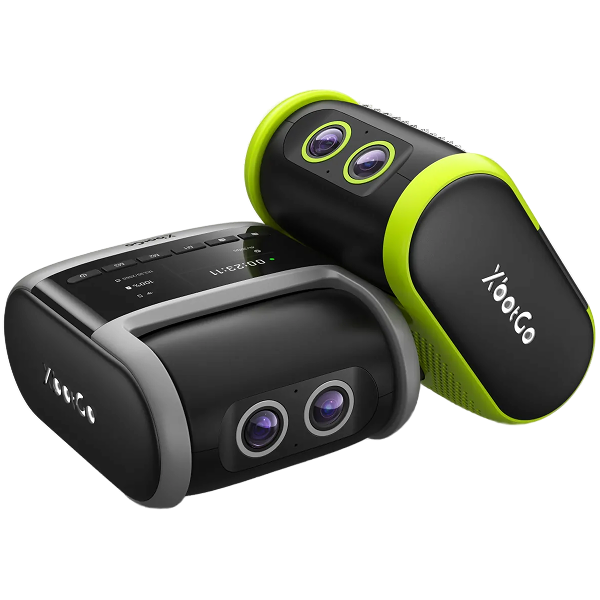
XbotGo Falcon All-in-One 4K Camera — just power on and play. Powered by XbotVision 3.0, it delivers high-speed, precise auto-tracking for soccer, basketball, hockey, and 10+ sports. The all-in-one app lets you stream live for free, edit with AI, and share highlights instantly. No subscriptions.
Learn More
XbotGo Falcon AI Sports Camera

How to Record a Volleyball Game with the XbotGo Falcon

For most teams, learning how to record a volleyball game means drafting one parent to stand behind the endline for two hours, holding a phone, watching the match through a five-inch screen.

The XbotGo Falcon replaces that person. Set it up before warm-ups, press record, and go sit down. This guide covers exactly where to put it on the court and how to get it running before the first serve.

What you need before match day

  • The Falcon, charged. It runs about four hours per charge.
  • A tripod that reaches 8 feet. This is the part people get wrong — see the next section.
  • A microSD card. Required — the Falcon cannot record without one. Use a V30 card rated for at least 30 MB/s write, UHS-I, up to 1 TB. Format it in the app, which applies the exFAT file system automatically.
  • Your phone, running XbotGo App v4.3.0 or later, with Bluetooth and Wi-Fi both on.

* Buy the card XbotGo recommends rather than the cheapest V30 you can find. Owners who cut that corner report files corrupting every few games.

Where to put the Falcon on a volleyball court

Here's the setup, and it surprises people:

Put the tripod 3 m (10 ft) outside the sideline, raise it to 2.5 m (8 ft), and aim the lens at the center line.

Sideline — not the endline. Volleyball is one of only three Falcon modes that doesn't sit on the court's center line, and it's deliberate. From the side, the camera sees both teams' rotations, both back rows, and the full width of play at once. That's the angle tracking works best from, and the angle a coach reviews film from.

The 8-foot height is doing something specific. A regulation net stands at 2.43 m for men and 2.24 m for women. At 2.5 m your lens sits just above the tape — high enough to see over the net and past the front row to the defenders behind them, low enough that you're not looking down at the top of everyone's head.

Ignore the "you need a 14-foot tripod" advice. It circulates widely, and it's real advice — for outdoor soccer, from an older phone-mount product. On a big pitch you go high to keep sideline crowds out of frame. A gym doesn't have that problem, and going too high costs you vertical framing the Falcon can't correct once recording starts. Volleyball parents who film manually landed on the same number independently: they run their light stands at 8 to 9 feet.

Setting up, step by step

  1. Insert the microSD card before anything else.
  2. Unlock the power safety lock on the bottom of the Falcon, then press the power button. Wait for it to finish booting — the lens completes an up-and-down calibration movement when it's ready.
  3. Mount it using the quick release plate. The Falcon can't screw onto a tripod directly.
  4. Connect to the app. Open the XbotGo App, go to Device Connections, tap Add Device, find Falcon, tap Connect. Turn off any VPN or ad-blocker first, and on iPhone allow Local Network permission. Your phone will drop its own Wi-Fi to join the Falcon's — that's expected.
  5. Tap Record, then choose Volleyball mode. Calibration starts automatically. Don't touch the camera while it runs.
  6. Frame the shot at eye level, then raise the tripod. Do it in that order. Raising the Falcon with the phone connected is the single most common way people lose their connection mid-setup.
  7. Press record, then leave it alone. If the framing needs a nudge, move the tripod — never turn the camera body by hand.

One time-saver for regulars: the Falcon's M1/M2/M3 buttons ship set to Soccer, Basketball and Ice Hockey. Assign Volleyball to one of them and you can start recording from the camera body without touching your phone at all.

Before first serve

Card in, battery charged, tripod 10 feet outside the sideline at 8 feet high, lens on the center line. Volleyball mode selected, calibration finished, framing checked at eye level before you raised it.

That's the whole job. The XbotGo Falcon handles the rest on its own, which is the entire point — you came to watch your kid play, not to operate a camera. For the full manual on any setting above, the XbotGo setup guide walks through each one.

Partilhar

10 de agosto de 2026 — XbotGo Help
Artigos mais antigos Regressar a How tos
Email Icon

Comprar na Loja XbotGo

Envio Gratuito
Apoio ao Cliente Global
Pagamentos seguros
Produtos
  • XbotGo Chameleon
  • XbotGo Falcon
  • Tripé T4 de 4 metros
  • Tripé NT1 de 1,15 metros
  • Acessórios XbotGo
  • Guia do Utilizador
  • Apoio ao Cliente
  • Envios e Devoluções
  • Acompanhar a sua encomenda
  • Junte-se à Comunidade
  • Parceria
  • XbotGo Cloud
  • A Nossa História
  • Blogues
  • Carreiras
  • Termos de Utilização
Ligue-nos: +1 (888) 894-1886
Horário de Funcionamento: 08:00 - 18:00 EST ( Seg - Dom )
Envie-nos um E-mail:
Apoio ao Cliente: Support@XbotGo.com
Marketing e Parcerias: Business@XbotGo.com
  • Facebook
  • YouTube
  • Instagram
  • TikTok
  • Discord
Amazon American Express Apple Pay Diners Club Discover Google Pay Mastercard PayPal Shop Pay Venmo Visa
  • 日本語
  • Facebook
  • YouTube
  • Instagram
  • TikTok
  • Discord
Amazon American Express Apple Pay Diners Club Discover Google Pay Mastercard PayPal Shop Pay Venmo Visa
XbotGo Logo Play Hard, Film Smart

Política de Privacidade | Suas Opções de Privacidade | Uso de Cookies | Termos de Uso | Preferências de Cookies | Não Vender ou Compartilhar Minhas Informações Pessoais

Copyright © 2026 XbotGo. Todos os direitos reservados.

  • Estados Unidos (USD $)
  • English
  • Français
  • Español
  • Italiano
  • Deutsch
  • Português (portugal)
  • 日本語
O seu carrinho
You may like
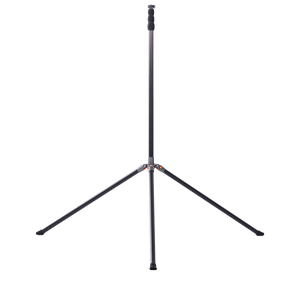
  • Tripé de Fibra de Carbono XbotGo NT4 PRO (3,9 metros)
    A partir de $249.99 USD
    Shop
  • xbotgo umbrella
    umbrella suit
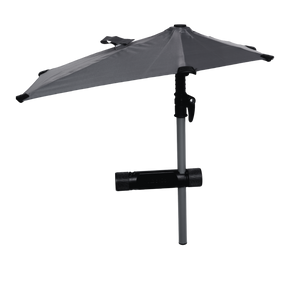
    Guarda-chuva de Proteção XbotGo
    $49.99 USD
    Shop
  • Fast & Free Shipping icon

    Fast & Free Shipping

  • 1-Year Warranty icon

    1-Year Warranty

  • 30-Day Free Returns icon

    30-Day Free Returns

  • Secure Checkout icon

    Secure Checkout

Pay your way
Amazon American Express Apple Pay Diners Club Discover Google Pay Mastercard PayPal Shop Pay Venmo Visa
Finalização da compra
O seu carrinho
Your Cart is Ready!
Shop Now