

- Soccer
7 Best Soccer Cameras for Recording Games (2026)
Your child scores the game-winning goal while you're wrestling with your camera, trying to zoom and track the action. By the time you find them in the viewfinder, the ...
Forget traditional filming — missed moments are history.
An AI auto-tracking camera delivers pro-level footage without a cameraman, a subscription, or a parent stuck behind a tripod all season. Approved by coaches and parents, these systems capture the full story of every game while you actually watch it.
Not all auto-trackers are equal. Some are standalone cameras. Some turn your phone into one. Some lock the useful features behind a monthly plan. Below we break down the seven best AI sports cameras available in 2026 — what each one does well, where it falls short, and which one fits your sport and budget.
| Camera | Needs a phone? | Free live streaming | Subscription for core features | Best for |
|---|---|---|---|---|
| XbotGo Falcon | No — standalone | Yes | No | Team sports, coaches, live streaming |
| XbotGo Chameleon | Yes — iPhone 12+ / Snapdragon 888+ | Yes | No | Budget-conscious teams |
| BallerCam | Yes — iPhone 13 Pro or newer | Yes (720p) | Free tier capped at 20 hours of cloud storage | iPhone owners, basketball and volleyball |
| Veo Cam 3 | No — standalone | Via platform | Yes — analysis is subscription-based | Clubs and academies with a budget |
| Pixellot Air | No — standalone | Via platform | Yes — analytics require a plan | Full-pitch panoramic coverage |
| SOLOSHOT3+ | No — standalone | Mobile app | No | Individual sports (golf, tennis, surf) |
| OBSBOT PTZR | Webcam — needs a computer | Via computer | No | Indoor, tight budgets, streaming setups |

Main Specs:
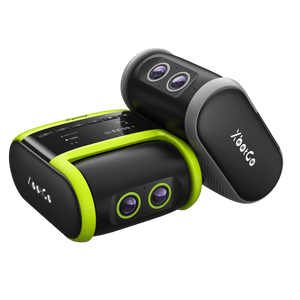
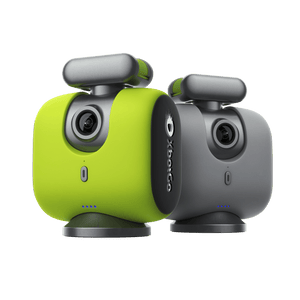
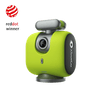
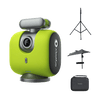
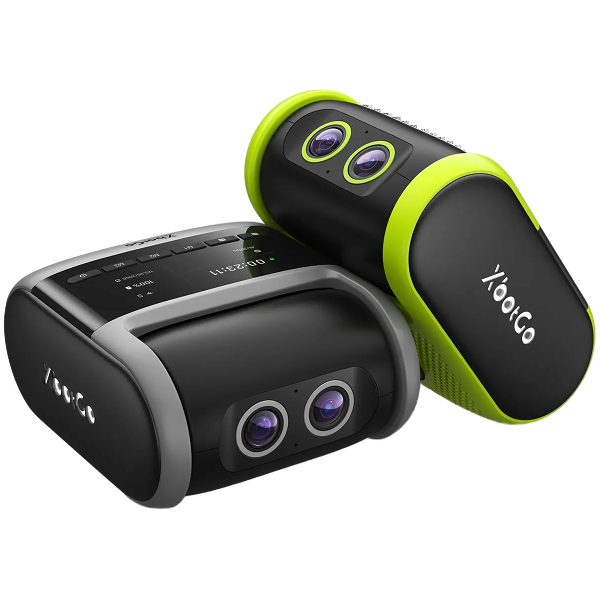
The XbotGo Falcon is the most self-sufficient camera on this list. It has its own sensor, its own AI, and its own battery — you don't hand over your phone for two hours, and you don't need a laptop on the sideline. Power it on, pick your sport, and let it work.
Its dual AI lenses see the whole field and the players at the same time, driven by a 6-TOPS on-board AI processor. That combination is what makes the footage usable rather than merely watchable: you keep the tactical picture — the shape, the spacing, the runs happening away from the ball — instead of a shaky zoom that chases the ball and loses everything else.
 For coaches, the practical win is consistency: every game gets filmed the same way, without recruiting a parent volunteer each week. For parents, it's simpler than that — you get to watch the game.
It records native 4K at 30fps with no cropping, and the latest firmware adds 1080p at 60fps — the higher frame rate lets you slow footage down and keep it smooth, which is what you want when you're breaking down a finish or a defensive lapse frame by frame. An IPX5 rating means rain isn't a reason to cancel filming, and the ~4-hour run time covers a full game day.

What's in the box — and what to add
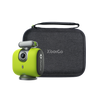
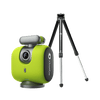
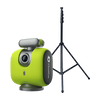
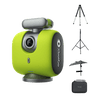
The Falcon ships with a carrying case, cleaning cloth, charging cable, and quick-release plate. Two things you'll want to budget for separately: a microSD card (required before recording — supports up to 1 TB, formatted exFAT) and a tripod, which comes in the Elite Pack and Field Pack bundles rather than the standard package. Height matters more than most people expect on a full field, so the tripod is worth planning for rather than improvising.

If the Falcon is more camera than you need, the Chameleon does the same job using a phone you already own. Mount your smartphone, set up in about a minute, and the AI handles the tracking. No cameraman, no subscription, no monthly fees.
What the Chameleon does well
Who the Chameleon is for
The Chameleon suits you if you already own a recent flagship phone (iPhone 12 or later, or a Snapdragon 888+ Android) and you're happy for that phone to be the camera for the length of the game. Your handset does the recording, so your footage is as good as your phone — which, for most modern flagships, is very good indeed. It's a particularly strong pick for basketball, where jersey-number tracking and AI highlight editing are built in.
Choose the Falcon instead if you want to keep your phone in your pocket, need the camera to run in heavy rain (the Chameleon is designed for normal weather conditions and should be protected from heavy rain), or want a wider vertical range — the Chameleon tilts ±15°, which is plenty for a court but less flexible on a large field.
👉 Watch the in-depth AI review (el Jong)
Main Specs:
BallerCam comes from BallerTV and takes the phone-mounted approach: your iPhone supplies the sensor, and the shell adds AI pan and zoom across a 180° field of view. It includes a cooling fan, which addresses the heat build-up an iPhone experiences when filming for long stretches in direct sun. It covers soccer, futsal, basketball, and sideline volleyball.
Two things to check before buying. First, the resolution you actually keep is lower than the resolution it captures: BallerCam records in 4K to drive the AI pan and zoom, but the file you download is 1080p and the live stream is 720p. Second, the cloud storage is capped — the included plan covers 20 hours, and beyond that you're on a paid tier. For a single season of a single team that may be plenty; for a club filming several teams, it adds up.
Compatibility is limited to iPhone 13 Pro and newer, so Android users will need to look elsewhere.
Main Specs:
Followcam technology
4K HDR video quality
2.8 lb (1.25 kg) weight
6.5 hours of battery life
Wi-Fi/5G internet connectivity
The Veo Cam gadget is an invaluable tool for analyzing player performance. Its 4K HDR video quality ensures sharp recording, so you can see every detail while carrying out the post-game analysis. The automation feature eliminates the need for coaches to operate it, allowing them to fully focus on the players' skill development in clubs or sports academies.
The battery also holds up: a charge lasts 6.5 hours, enough to cover full games. The camera can switch to low-power standby mode when it's on but not recording, preserving the battery life. While the AI tracking system is highly effective, the Veo Cam camera can miss some fast-motion scenes.
Worth factoring into the budget: Veo's analysis platform runs on a subscription, so the hardware price isn't the whole cost. A well-funded club with staff who will actually use the analysis tools may find that worthwhile. For a single team paying out of pocket, the recurring cost is the thing to weigh.
Main Specs:
12MP 4K video quality
Dual-camera array
Full-pitch panoramic view
7.7 lb (3.5 kg) weight
3G/4G internet connectivity
Thanks to its two 12MP 4K lenses, the Pixellot Air provides panoramic coverage and real-time AI tracking, which keeps even the fastest-paced plays in focus. Its AI crops and pans within the panoramic frame to follow the ball, without physically moving the camera — it follows the ball as smoothly as an experienced camera operator, capturing as much detail as possible.
The system is built to adapt quickly when the motion intensity amplifies. It also picks out key highlights automatically — goals, assists, and fouls — based on ball interactions. Some of the video analytics features require monthly subscriptions, which is a real limitation for budget-conscious clubs.
Main Specs:
4K video quality
65x optical zoom
2–3.5 hours of battery life
128 GB microSD storage
Mobile app live streaming
Individual sports — golf, tennis, swimming, cycling — are where the SOLOSHOT3+ auto-tracking camera makes the most sense. It includes a waterproof wearable tag that tracks the athlete at distances of up to 2,000 feet. You capture your performance effortlessly as a track athlete, swimmer, or cyclist as the camera automatically follows your movements.
Video clarity is also vital for solo athletes. The SOLOSHOT3+ boasts 4K resolution combined with a 65x optical zoom, giving a high-definition, detailed recording of your activities. The only major downside is the narrow field of view — it captures less of the scene around your subject, and that's why it suits individual sports best.
Main Specs:
4K Ultra HD resolution at 60fps
5x optical zoom
HDR and auto-exposure
Gesture control
1/2.8" CMOS sensor
USB-C connectivity
The OBSBOT PTZR sits at the budget end of this list. It records 4K at 60fps and offers 5x optical zoom, which gives it solid image sharpness for the money.
It also supports gesture control — the camera reads hand signals to zoom or adjust the angle without pressing a button, though in practice the gestures may need more than one attempt to register. The HDR and CMOS sensor hold color contrast reasonably well across both indoor and outdoor lighting. It does not offer a panoramic view.
The important limitation: this is a webcam, not a field camera. It needs to stay tethered to a computer, which rules it out for most outdoor sideline use. It's a strong pick if your setup is indoors and already involves a laptop — a gym, a court, a streaming rig — and a poor one if you want to plant a tripod on the sideline and walk away.
No — but several of the best-known systems require one, and that is the single biggest hidden cost in this category. The hardware price is what you see on the box; the recurring fee is what you actually pay over a season.
It splits roughly into three groups:
The honest way to compare: work out the total across two or three seasons, not the sticker price. A subscription platform can quietly cost more than the camera did. If nobody at your club is going to sit down and use advanced analytics anyway, you're paying for a feature you won't open.
One caveat in fairness: "no subscription" rarely means "no future paid features ever." XbotGo, for example, has said its upcoming AI Analysis tools (heatmaps, player movement) will be a paid add-on. The distinction that matters is whether recording, tracking, and streaming — the things you bought the camera for — work without paying monthly. For the Falcon and Chameleon, they do.
Tracking is not one problem — a ball moving across a 100-yard field and a single swimmer in a lane require different things from a camera. Here's how they break down by sport.
Large fields mean you need either a wide field of view or genuinely fast pan tracking — ideally both. Full-field context matters as much as the ball, because a coach reviewing a goal wants to see the defensive shape that let it in. Standalone cameras with dual lenses (Falcon) or panoramic arrays (Pixellot) handle this best. Elevation matters more than people expect: a taller tripod dramatically improves what the AI can see and what the footage is worth.
Indoor courts are smaller and better lit, which makes tracking easier and widens your options. Phone-based systems work well here — the Chameleon's jersey-number tracking is a basketball feature, and BallerCam was built with basketball and volleyball in mind. An 80-inch tripod in the bleachers is usually enough; you don't need a 15-foot mast.
Here you're following one athlete, not a ball, and a wide-angle team camera is the wrong tool. Wearable-tag tracking, as on the SOLOSHOT3+, is built for exactly this. Optical zoom becomes far more important than field of view. The XbotGo cameras are designed around team sports, so for a solo golfer or swimmer they are not the natural fit.
If grandparents in another state are the audience, check how a camera streams before you buy. The Falcon streams free to YouTube, Facebook, or any RTMP destination with one-tap broadcasting, and the Chameleon's live streaming is free with no recurring subscription fees. BallerCam streams at 720p through its own app. Veo and Pixellot route streaming through their platforms, which is smooth but tied to a plan. All you supply is the internet connection at the venue.
In this guide, we break down what actually matters when you're choosing one, to help you find the best option.
When selecting an auto-tracking sports camera, the video quality and tracking speed are the most important things to prioritize.
First, video quality is key because it decides how sharp and clear your footage will be. A camera with a 4K or HD (High-definition) resolution produces crisp recordings, ensuring every move is visible. If the video quality is low, most of the scenes in the recordings look fuzzy due to a lack of sharp focus.
Tracking speed and video quality go hand in hand. Verify your chosen camera has fast tracking to keep pace with rapid movements, especially in fast ball sports like soccer and basketball. If a camera tracks slowly, the video quality stops mattering — no matter how good the sensor is, the action won't be in frame. In other words, the footage becomes hazy even though a 4K camera captured it.
One trap worth naming: check the resolution you keep, not the resolution the camera captures. Some systems record in 4K to give the AI a wide frame to crop from, but the file you actually download — and the stream your family watches — is 1080p or 720p. Both numbers are honest; they just answer different questions.
All auto-tracking cameras require a power supply to function. It's advantageous if the camera has multiple powering options and doesn't just rely on the battery. Some camera models charge via a solar panel or connect to an electrical socket as a backup power source.
If it's battery-dependent, use the rechargeable type to reduce needless periodic replacements. They have a long battery life for uninterrupted sports recording. Ensure your camera receives power for a long time so you don't ever worry about it shutting down mid-action.
Choose an auto-tracking camera with a simple installation. It will get you started quickly once on site. Nobody wants to spend hours figuring out the settings when you could be making great shots already.
It should have a user-friendly mounting system, such as a tripod and magnetic mounts. In addition to the camera placement, consider a camera with clear menus for faster navigation while setting it up. Some cameras have a touchscreen interface, allowing you to set the camera with a tap.
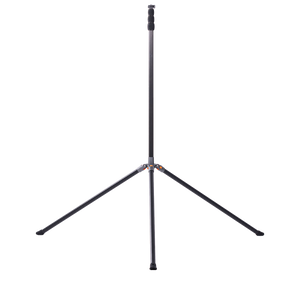
Almost every camera on this list is sold without a tripod, and almost every one of them depends on having a good one. Height is what determines how much of the field the AI can actually see — a camera at chest height on a soccer field will lose players behind other players, and no amount of AI fixes a bad vantage point.
As a rough guide: an 80-inch tripod is fine for a basketball court or volleyball sideline. For a full soccer or football field, you want to get considerably higher — 12 to 15 feet — which is why most manufacturers sell an elevated mast as an add-on. Budget for it up front rather than discovering it after the first game.
Portability plays a big role in scenarios where users need transportation flexibility in different environments. A portable camera minimizes hassle if you're a coach or player operating in more than one location. And for a camera to be portable, it should be lightweight and compact to make it perfect for capturing while on the go.
The convenience level rises when it also has foldable mounts, detachable sections, and carrying bags or cases. Fortunately, most auto-tracking cameras ship with at least some of these.
AI cameras are worth it if you want good footage without someone having to film it. The technology removes the human error that comes with a volunteer behind the tripod, and it keeps the action in frame far more consistently. Beyond the automation, you also get smart features like motion detection, subject recognition, and automatic panning that turns the camera toward the player or the ball.
The ideal kind of camera for sports activities should have high-speed shooting, quick autofocus, and superb image quality. Because of this, it's perfect for recording every detail in real time and keeping up with the fast-paced action on the field.
Auto-tracking cameras are a game changer for sports that involve large sports grounds, team play, and quick and constant movements. These are sports like soccer, basketball, rugby, netball, handball, volleyball, and hockey.
Yes. The XbotGo Falcon and Chameleon record, auto-track, and live stream without any recurring fee, and both include 20 GB of free cloud storage. SOLOSHOT3+ and webcam-style cameras such as the OBSBOT PTZR are also one-time purchases. Subscription costs mainly appear on platform-based systems like Veo and Pixellot, where the analysis tools — rather than the camera itself — are what you pay for monthly.
Yes. The XbotGo Falcon streams free to YouTube, Facebook, or any RTMP destination with one-tap broadcasting, and the Chameleon's live streaming is free with no recurring subscription fees. You only need an internet connection at the venue. Other systems stream through their own apps or platforms, which can mean lower stream resolution or a paid plan.
It depends on the type. Standalone cameras like the XbotGo Falcon, Veo Cam 3, and Pixellot Air have their own sensors and need no phone. Phone-mounted systems like the XbotGo Chameleon and BallerCam use your smartphone as the camera — cheaper, but your phone is tied up for the whole game and image quality depends on the handset.
Technically yes, but it's rarely worth it. Auto-tracking cameras pan and tilt, so they need a stable base — resting one on a bag or a railing produces shaky footage and confuses the tracking. More importantly, height is what lets the AI see the whole field. Most of these cameras use a standard 1/4" thread, so any decent tripod works; you don't need the manufacturer's own.
In short, selecting the best auto-tracking camera is not just about going for the longest feature list. Equally, the best choice is not necessarily a camera with high video quality or the most expensive one you can find from vendors. It boils down to getting a camera that adequately meets your video recording needs at your venue.
If you want one decision rule: start with whether you're willing to hand over your phone for two hours, and whether you're willing to pay every month. Those two questions eliminate most of this list quickly. If both answers are no, a standalone, subscription-free camera like the XbotGo Falcon is the shortest path. If you already own a recent phone and want to spend less, the Chameleon does the same job for less money.
Whichever way you go, the right camera turns your recordings into a real coaching tool — a way to learn, review, and master new tactics — instead of another chore on game day.