

XbotGo Falcon

How to Film a Football Game by Yourself (No Camera Crew Needed)
You need game film. Your coach wants it for review. Your kid needs it for a highlight reel. The problem? There's no camera crew — and nobody's volunteering to stand behind a tripod for two hours in the sun.
This is one of the most common headaches in youth and high school football. Every team wants film. Almost nobody has a reliable plan to get it. If you're trying to figure out how to film a football game by yourself, you've basically got three options. We'll walk through each one, what it costs, and what you actually end up with.

Option 1: Phone on a Tripod
The free option. Prop your phone on a tripod at the top of the bleachers, hit record, and hope for the best.
It works — sort of. You'll get footage, but it won't be great. A phone's wide-angle lens captures the whole field at the cost of detail. Players look tiny. You can't zoom in without losing quality. And the camera doesn't move, so once the action shifts to the far end of the field, you're watching ants.
Pros: Free (assuming you already own a phone and tripod). No setup complexity.
Cons: No tracking. Low detail. Fixed angle misses half the plays. Audio is mostly wind. Not usable for recruiting highlights.
If all you need is a basic record of what happened, this gets the job done. But if the film needs to be useful — for coaching, for player development, for recruiting — a static phone falls short.

Option 2: Ask a Parent or Volunteer
The "free labor" option. Someone's dad stands at the top of the stands with a camera or phone and follows the action.
This can actually produce decent footage when the person behind the camera knows what they're doing. The problem is consistency. Volunteers miss games. They get distracted. They forget to charge the battery. And frankly, you're asking someone to give up watching their own kid play so they can work a camera for two hours. That's a big ask — and it's why volunteer filming setups tend to fall apart by mid-season.
Pros: Human judgment means the camera follows the action naturally. Free.
Cons: Unreliable. Quality varies wildly person to person. You lose a spectator every game. Hard to maintain week after week.
For a game or two, this is fine. As a season-long strategy to film football games without a cameraman, it rarely holds up.

Option 3: An AI Auto-Tracking Camera
This is the newer approach — and the one that actually solves the solo filming problem. An AI sports camera for football sits on a tripod, tracks players automatically using computer vision, and records the entire game without anyone operating it.
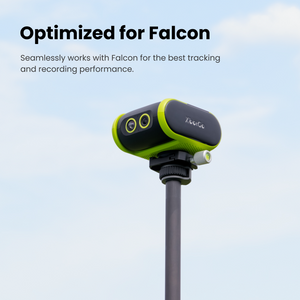
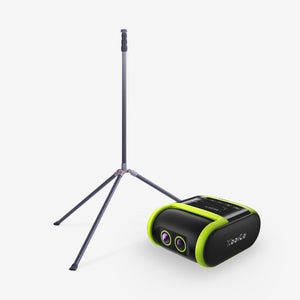
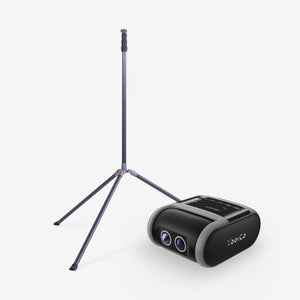
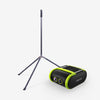
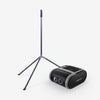
The XbotGo Falcon is built for exactly this use case. It's a standalone 4K camera with a built-in AI processor. No phone required. No camera operator. You set it up in about two minutes, press record, and go sit in the stands.

The AI handles the panning and tracking in real time — following the ball and players across the field on a motorized gimbal. It records in native 4K at 30fps, which is sharp enough for coaching review and recruiting highlight reels. It also streams live to YouTube, Facebook, or any RTMP destination, so family who can't make the game can still watch.
The Falcon costs around $600, once. No subscription required. The battery lasts about three hours, and it supports 10+ sports — so if your kid plays soccer in the spring, the same camera works there too.
How the Three Options Compare
Here's a side-by-side look at each solo football filming method:
|
Feature |
Phone on Tripod |
Parent Volunteer |
XbotGo Falcon |
|
Cost |
Free |
Free |
~$600 one-time |
|
Video quality |
Varies (typically 1080p, no zoom) |
Varies |
Native 4K / 30fps |
|
Tracks the action |
No (fixed angle) |
Yes (manually) |
Yes (AI auto-tracking) |
|
Hands-free |
Yes |
No |
Yes |
|
Consistent every game |
Yes (consistently mediocre) |
No |
Yes |
|
Live streaming |
No |
No |
YouTube, Facebook, RTMP |
|
Subscription |
None |
None |
None |
|
Recruiting-quality footage |
No |
Sometimes |
Yes |
The phone is cheapest. The volunteer is most flexible in the moment. But for reliable, high-quality game film that doesn't depend on anyone's schedule or willingness, the AI camera is in a different category.

Our Recommendation
If you're looking for the best camera for football games that you can operate completely solo, the XbotGo Falcon is the most practical option. Two minutes of setup, then you're done. Every game. Every practice. No begging for volunteers, no sacrificing your own view of the game.
Is it perfect? No. AI tracking doesn't have the creative instinct of a skilled human operator. For championship showcases or professional-grade highlight reels, a hired videographer still has an edge. But for regular-season games, weekly practices, and consistent coaching film, the Falcon handles the job and the footage is genuinely good.
At around $600, it pays for itself faster than any alternative that involves paying someone per game. And unlike the phone-on-a-tripod approach, the film is actually useful.
Getting Started
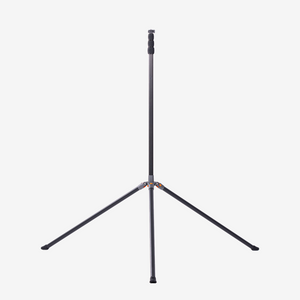
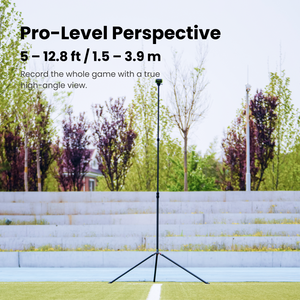
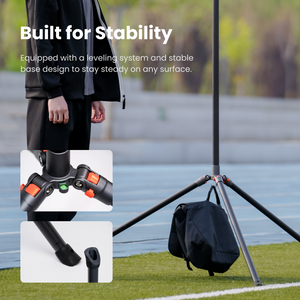
The XbotGo Falcon pairs with any standard tripod (tripod available separately or in bundle packages). Set it up behind the sideline, select your sport in the app, and press record. That's it.
No camera crew. No complicated setup. Just reliable game film, every time you need it.