

XbotGo Falcon

Best Way to Record Basketball Games (No Cameraman Required)
The best way to record basketball games isn’t about having the most expensive camera. Basketball is the hardest indoor sport to film—gyms are dark, the game moves fast, and someone always ends up missing the action while staring at a screen. But you don’t need a professional camera crew or a dedicated volunteer. A few setup decisions make the biggest difference.
Here’s what actually works—for parents, coaches, and anyone filming solo.

Get the Camera Position Right First
Before you think about gear, think about where you’re standing.
The single most consistent piece of advice from coaches and videographers: mid-court, elevated, halfway up the bleachers. From this position, you can see the entire court without panning. Referees and players won’t walk through your shot. The ball stays in frame on its own. Coaching practitioners confirm that this one positioning choice has more impact on footage quality than any piece of gear.
Shoot wider than you think you need. If you’re recording in 4K, you can crop in post-production to simulate a zoom. Shooting wide in 4K at mid-court gives you a usable 1080p deliverable with room to reframe in editing. One experienced tournament filmer summed it up: “I always use a super wide angle lens but it works best if you get it up high.”
Don’t film from court level. Don’t park in a corner. Those angles work for highlight clips, not game review. For tactical footage and coaching analysis, elevation is everything.

Camera Settings for Gym Lighting
This is the part most guides skip entirely.
Gym lighting looks fine to your eyes but creates problems on camera: color casts, uneven exposure, and motion blur when shutter speeds are too slow.
These settings work for most gyms:
- Aperture: Open as wide as your lens allows. f/2.8 is ideal; f/4 is workable.
- Shutter speed: Double your frame rate. Shooting at 30fps? Set shutter to 1/60. At 60fps, use 1/120. This is the standard rule for natural motion blur.
- ISO: Don’t be afraid to push it. ISO 3,200–6,400 is normal for indoor basketball. As one sport photographer put it: “A noisy shot can be a good shot. A blurry one is simply useless.”
- Frame rate: Use 24 or 30fps in dim gyms. Higher frame rates force a faster shutter, which darkens the image. Save 60fps for well-lit venues.
- White balance: Use your camera’s fluorescent or tungsten preset. Auto white balance drifts constantly under gym lights.

If you’re on a phone, switch to a manual camera app. Filmic Pro (iOS) or Cinema FV-5 (Android) give you control over ISO, shutter, and white balance that the default camera app doesn’t offer.
Best Setup by Budget
You don’t need expensive gear to get useful footage. Here’s what works at each level.
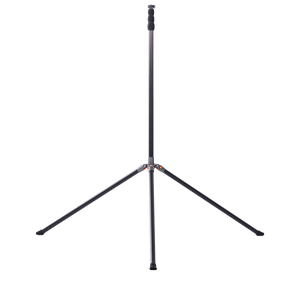
Phone + tall tripod ($30–$50): A modern iPhone or Android shooting in 4K is a completely valid starting point. Phones handle low light better than most cheap dedicated cameras. Get the tripod as high as possible—at least head height when fully extended. Clean the lens before every game.

Dedicated camcorder ($150–$250): Models like the Sony HDR-CX405 or Canon Vixia HF R800 are purpose-built for long-form recording. They zoom smoothly, run all day on AC power (critical for tournaments), and are simpler to operate than a mirrorless camera. For multi-game events, the ability to plug in is worth more than any spec on paper.
AI auto-tracking camera ($300–$800): If you’re regularly filming alone, these cameras track the action automatically—no operator needed. More on that in the next section.

What to skip: GoPros draw consistent complaints for long-form basketball recording—overheating, corrupted files, and reliability issues during extended use. Drones are banned at most indoor venues.
How to Record Solo Without Missing the Game
This is the real challenge. The camera is set up. The settings are dialed in. But nobody wants to stand there panning it for two hours.
One youth coach put it directly: the hardest part isn’t the equipment—it’s finding someone willing to actually run the camera. And if you’re the coach, you can’t also track the ball.
The cleanest solution is to remove the human from the equation. Mount the camera, press record, and walk away.
For a basic version, a phone at mid-court on a wide setting captures the full court without panning. Crop the footage afterward in post. This is enough for coaching review.
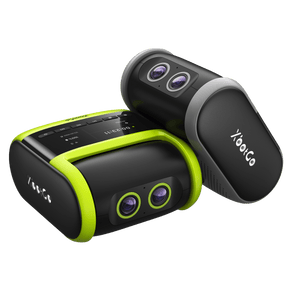
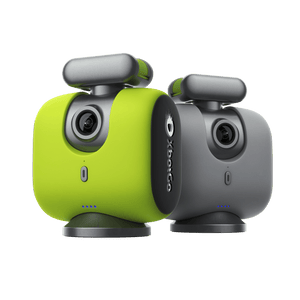
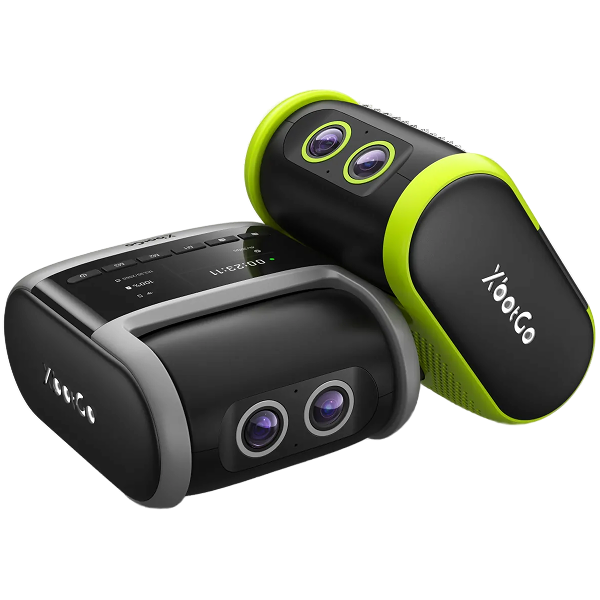
If you want automatic tracking with proper 4K quality, the XbotGo Falcon is worth considering. It’s a standalone AI camera—no phone required—that follows the action using a motorized gimbal. Mount it on a tripod at mid-court, press record, and it handles the rest. Three hours of battery, on-device SD card storage, and no monthly subscription. Setup takes about two minutes. Coaches who use it describe it as a true set-and-forget solution for weekly game film.

It won’t replace a dedicated operator for broadcast-quality highlights. But for coaches and families who need clean game film week after week, it removes the biggest obstacle: finding a person to run it.
Game Day Checklist
Build this into your routine before every game:
- Clear at least 2–3 GB of storage before you leave home
- Charge batteries the night before; bring the charging cable as backup
- Do a test recording at practice before the first game of the season—not on game day
- Contact the host gym ahead of time for away games; some have filming restrictions
- Narrate substitutions out loud as players enter and exit; invaluable for coaching review
- Film the scoreboard briefly at the start of each quarter for reference
- Arrive early and get set up before warm-ups

Research published in Children (MDPI) found that youth basketball players using video modeling improved offensive performance significantly in just four weeks. Clean, consistent footage is the foundation of that process. And according to Catapult Sports, video analysis—once limited to pro teams—is now standard practice at every level of competitive basketball.
The Bottom Line
The best way to record basketball games comes down to three decisions: get elevated at mid-court, dial your settings for gym lighting, and figure out who—or what—is running the camera. Everything else is secondary.
Start with a phone and a tall tripod if that’s what you have. Add gear as your needs grow. The game film you capture this season is what helps your team improve next season.