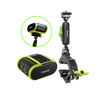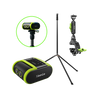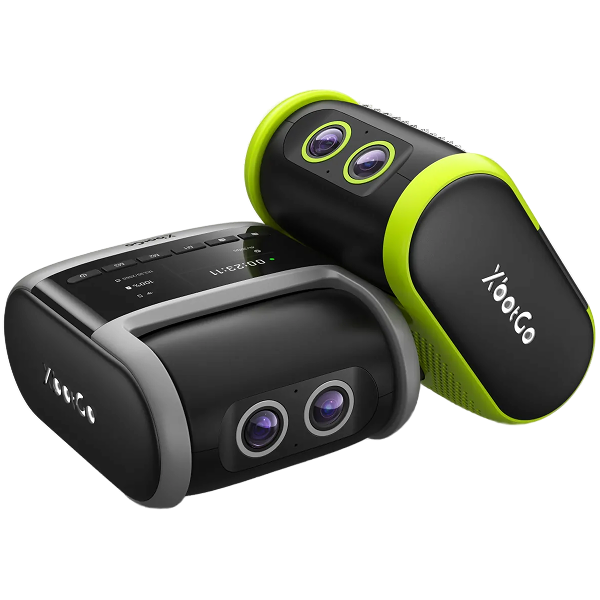


XbotGo Falcon

10 Best Auto-Tracking Cameras for Basketball 2026
When it comes to capturing fast-paced basketball action, nothing beats the power of AI auto-tracking—especially with a standalone performer like the XbotGo Falcon. From solo highlights to full-court team analysis, these cameras are designed to deliver professional results for players, coaches, and parents alike.
Basketball is a lightning-quick sport. Try to follow every play with a handheld camera, and you'll likely miss critical moments. That's why AI-driven auto-tracking cameras have become game-changers, turning every pass, dunk, and three-pointer into footage you can relive and review.
But "auto-tracking" means three very different things depending on the camera, and the option that suits a club with a permanent gym is rarely the one that suits a parent driving to away games. To help you decide, we've compared the ten best auto-tracking cameras for basketball — what each one actually tracks, and where each falls short.
XbotGo Falcon: Best Overall AI Camera for Basketball

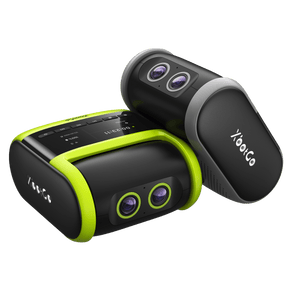
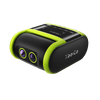
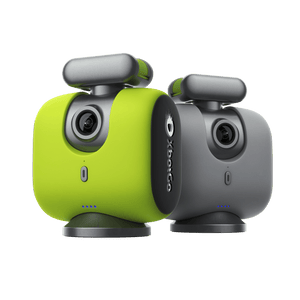
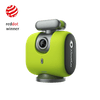
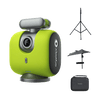
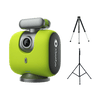
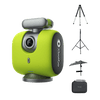
The Falcon is for anyone who does not want to hand over a phone for a whole game. It is fully standalone — mount it, pick basketball mode, press record. Its dual AI lenses take in the court and the players at once, while a 6-TOPS on-board AI chipset combines target recognition, pose estimation, and trajectory prediction to work out where the play is going rather than chase the ball. Indoors that matters: pose estimation separates the five players contesting a possession from the substitutes on the sideline.
Footage is native 4K with no cropping or stitching. All resolutions record at up to 30fps, and 1080p also records at 60fps on the latest firmware, for smooth half-speed replays. Follow Me mode tracks one player at 2.7K/30fps with 1x–3x zoom.

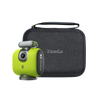
It covers 360° of rotation and 160° of tilt, with three preset buttons for switching modes. IPX5 weather resistance handles outdoor courts and the battery runs around 4 hours, though it needs a microSD card that is not included. Streaming to YouTube, Facebook, and RTMP is free, core recording and tracking need no subscription, and 20 GB of cloud storage is included. See the full Falcon specs.
XbotGo Chameleon: Best If You Already Own a Flagship Phone

The Chameleon takes the opposite approach: your phone is the camera, and the Chameleon supplies the AI co-processor, the motorized rotation, and the mount. If you already own an iPhone 12 or later, or a Snapdragon 888-class Android, you are most of the way there. It covers 360° of rotation with ±15° of tilt, runs 8 hours, and includes a Bluetooth remote.
Basketball is the sport it suits best, and not as marketing framing — it is where both headline features are actually available. Jersey number tracking works in basketball mode, locking onto one player rather than the ball, which is what recruiting film needs. AI auto-editing supports basketball only, detecting shooting moments to build highlights. You can stream to YouTube, Facebook, or RTMP with a live ScoreSync scoreboard overlay.
Hudl Focus Indoor
Hudl Focus Indoor is a fixed installation built for indoor sports. Find the right spot in the sports hall, mount it once, and it stays there — uploading footage straight to your dedicated Hudl site with nobody operating it. This is set-it-and-forget-it tech, and its strength is simplicity: coaches watch the game instead of worrying about filming.
The payoff is on the analysis side. Hudl Assist breaks down team and individual stats into digestible reports, and games can be live streamed and even monetized. For a program already living inside the Hudl ecosystem, the footage lands exactly where the rest of the workflow already is.
The trade-off is permanence and cost structure. Focus Indoor is installed in one gym and stays there, which suits a club with its own hall but not a travel team, and access runs on a recurring Hudl plan rather than a one-time purchase.
Veo Cam 3
Veo Cam 3's Follow-cam AI is what elevates it. Two new-generation lenses cover the whole court and deliver sharp, vibrant images, so you can concentrate on the game rather than the filming. Because the lenses see everything, you can follow team structure and still zoom in on individuals afterwards — useful for a coach whose job is getting the best out of specific players.
It is portable at 1.25 kg, the battery gives 4.5 hours of recording and live streaming, and the Veo Editor provides solid tools for breaking a game down. Tracking is smooth and the platform is polished.
Veo is built around a recurring subscription for the platform and analysis tools, and its reputation was earned largely in soccer — both worth weighing if basketball is your only sport and a one-time purchase is what you are after.
Pixellot Air
Pixellot Air records the whole court through dual 4K wide-angle lenses while tracking the game in real time, so viewers get a court-side feel and nothing physically has to move. Setup is quick, it weighs under 2 kg, and the internal battery runs about 6 hours of recording and streaming.
The Pixellot app is where the value sits: coding, tagging, and annotating video, plus coaching tools for breaking down what went right and wrong. Pairing to a smartphone is straightforward, so footage is quick to get at after the final buzzer.
Because it is a panoramic-crop system rather than a motorized one, nothing gets missed — but the cropped output is softer than "dual 4K" suggests, and the platform runs on a subscription.
BallerCam
BallerCam is basketball-first, and it shows. Rather than moving the camera, it captures a 180° sideline-to-sideline view through a wide-angle lens on an iPhone and lets the AI pan and zoom within that image, so play cannot leave the frame. Games save automatically and are available to rewatch straight after the final buzzer.
Where it goes further than most is the stats layer. BallerCam detects the scoreboard, attributes actions to individual players, and tracks rebounds, steals, turnovers, and blocks — box-score data that usually needs a separate scorekeeper. Highlight reels are generated and shared from the same app.
Two things shape whether it fits: it is built around iPhone, so an Android-only program is out, and access is a subscription priced by storage rather than a one-time purchase.
Trace
Trace built its reputation in soccer and has since extended to basketball, and what it does better than almost anyone is per-player output. Rather than producing one game film a coach has to scrub through, it automatically edits highlights for every player on the roster and gives each one their own channel to share from.
For a program where recruiting film matters, that changes the workload. Smart tags label shots, assists, rebounds, and involvements, shooting splits and possession numbers are calculated for you, and the analytics view lets you jump straight into the video from any action dot.
Trace is a subscription service built around its platform, so budget for it as an ongoing team cost rather than a piece of equipment. Strong for programs wanting per-player film at scale; overkill for a parent who mostly wants to film their own kid.
PIX4TEAM 2
PIX4TEAM 2 is for anyone who already owns a camera they trust and wants automation added on top. It is not a camera but a robot: a 180° camera on its underside watches the whole court and works out where the action is, then physically turns whatever you have mounted on it — a camcorder, a phone, or a tablet — to follow the play.
That makes it the most flexible option here on image quality, because the sensor is whatever you choose. It ships with a multi-cable that drives zoom on most Sony camcorders and an Ethernet port for wired streaming, and like XbotGo it carries no mandatory subscription — a genuine point of difference from the platform-based systems here. Each battery gives roughly 2.5 to 3.5 hours.
Understand what you are buying into: it is modular, not all-in-one. The robot weighs 4 kg, and the stand, tripod, and camera are all sold separately. You are assembling a kit rather than unpacking a camera — and carrying one.
Insta360 Flow 2 Pro
The Insta360 Flow 2 Pro is the lightest way into auto-tracking here, and the only one you can genuinely carry in a bag. It is a smartphone gimbal, so your phone records while the gimbal tracks, with Apple's DockKit subject tracking available on iPhone and roughly 10 hours of battery.
What earns it a place is the app's hoop mode, built for basketball specifically: it keeps track of the court, follows highlighted players, and captures baskets with full-court tracking. Deep Track 4.0 handles re-centering when a player is briefly blocked, and Active Zoom Tracking holds a subject at up to 15x on supported iPhone Pro models.
The limits are those of a gimbal. It is designed around a single subject rather than a team's structure, its built-in tripod legs are short, and there is no scoreboard or streaming stack behind it. Excellent for solo workouts and content; the wrong tool for full-game team film.
FoMaKo AI Auto Tracking PTZ Camera
This could be the option if live streaming is your primary concern. It pairs AI tracking with 30x optical zoom to deliver high-resolution 1080P video at 60fps, with fast, accurate autofocus — so you can tune in from anywhere and never miss the action.
The camera is designed for indoor events and performs well in low light, something plenty of sports halls suffer from. This is professional live streaming gear, with colors on the viewer's screen closely matching the live visuals in the hall, and it makes the list as a decent streaming option for the budget-conscious.
Set expectations on where it comes from, though: this is a PTZ camera built for conference rooms and venue streaming rather than sport. It caps out at 1080p, needs mains power and a wired streaming setup, and has no basketball-specific tracking logic or highlight tools behind it.

Frequently Asked Questions
What is the best auto-tracking camera for basketball?
The XbotGo Falcon is the strongest all-round choice for most teams: fully standalone, native 4K, and no subscription for core recording, tracking, or streaming. If you already own a recent flagship phone, the Chameleon is the cheaper route in. Clubs with a permanent gym may prefer a fixed installation like Hudl Focus Indoor.
How do auto-tracking basketball cameras work?
In one of three ways. Motorized tracking physically pans and tilts to follow play, like a human operator. Panoramic crop films the whole court through wide lenses and crops within that image, so nothing is missed but the final clip is softer. Phone-based tracking turns a phone you already own into the camera — the cheapest route in.
Where should you position a camera in a basketball gym?
Film from the sideline at half court, above head height. A baseline position sees one end of the floor well and the other barely at all, and at standing height the camera spends the game looking at the backs of spectators. Avoid pointing it into windows or an open doorway, which silhouettes every player on the near side.
Do I need a special tripod for an auto-tracking basketball camera?
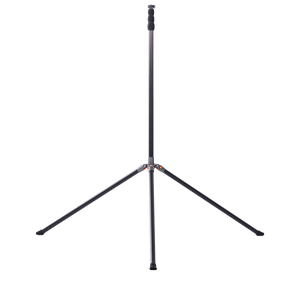
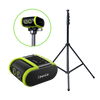
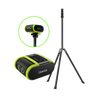
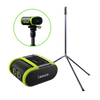
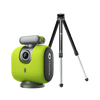
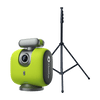
No — auto-tracking cameras use a standard 1/4" screw mount, so most tripods fit, the XbotGo Falcon and Chameleon included. Height is what matters: a 13-ft tripod like the NT4 clears a standing crowd, while a 4-ft NT1 suits a balcony. Weight the legs, since a tall tripod on a gym floor is easy to knock. See XbotGo's tripods and accessories.
Do auto-tracking basketball cameras require a subscription?
It depends on the model, and this is the difference that adds up most over a season. Hudl, Veo, Pixellot, Trace, and BallerCam are platform businesses billed on a recurring basis. XbotGo's cameras and PIX4TEAM 2 are one-time purchases — with XbotGo, core recording, tracking, and streaming need no subscription, and 20 GB of cloud storage is included.
Can you live stream a basketball game with an auto-tracking camera?
Most of them do. XbotGo's Falcon and Chameleon stream free to YouTube, Facebook, and any RTMP destination, with a live scoreboard overlay. Hudl, Veo, and Pixellot include streaming in their platform subscriptions. Check your gym's connectivity first — a phone-based system like the Chameleon uses the phone's own connection.
Our Top Recommendation
If you want one camera that handles a full basketball season without a subscription, the XbotGo Falcon is the standout choice. It is fully standalone, records native 4K with dual AI lenses and a 6-TOPS on-board chipset, survives an outdoor tournament thanks to IPX5 weather resistance, and includes 20 GB of cloud storage with no subscription required for core recording, tracking, or streaming.
If you already own a recent flagship phone and would rather start there, the XbotGo Chameleon is the more affordable route into the same AI tracking — and for basketball specifically it adds jersey number tracking and AI highlight editing that the Falcon does not advertise. The dividing question is simply whether you are willing to leave your phone on a 13-foot tripod for the whole game.
Whichever you choose, mount it high, film from the sideline at half court, and let the AI do the rest.