

- Soccer
7 Best Soccer Cameras for Recording Games (2026)
Your child scores the game-winning goal while you're wrestling with your camera, trying to zoom and track the action. By the time you find them in the viewfinder, the ...
Bring the Game to Everyone - Live!
The best camera for live streaming sports is the one that keeps the whole team in frame without anyone standing behind it. For team games that means an AI auto-tracking camera; for action sports and highlight clips, a 360 or action camera is the better tool. This guide covers both, and shows exactly what else you need to get a game online.
The quickest way to narrow the list is to ask whether you are filming a team or a person.
| Camera | Needs your phone? | Auto-tracks a whole team? | Streams to | Subscription to view footage? |
|---|---|---|---|---|
| XbotGo Falcon | No — standalone | Yes | YouTube, Facebook, RTMP, XbotGo Live, GameChanger | No, for core recording, tracking, and streaming |
| XbotGo Chameleon | Yes — phone is the camera | Yes | YouTube, Facebook, RTMP, XbotGo Live, GameChanger | No, for core recording, tracking, and streaming |
| Insta360 X3 | For editing and going live | No — captures everything in 360° | Insta360 app | No |
| DJI Osmo Action 5 Pro | For going live | No | DJI Mimo app | No |
| GoPro MAX | For going live | No | GoPro app | No |
| Veo Cam 3 | No — standalone | Yes, reframed in software | Veo platform | Yes |
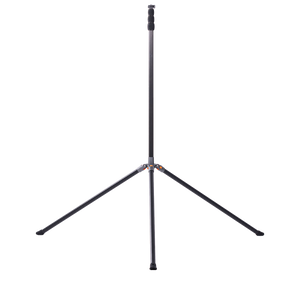
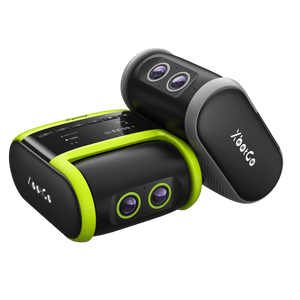
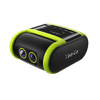
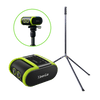
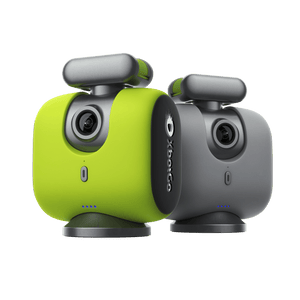
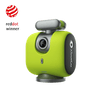
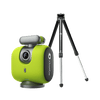
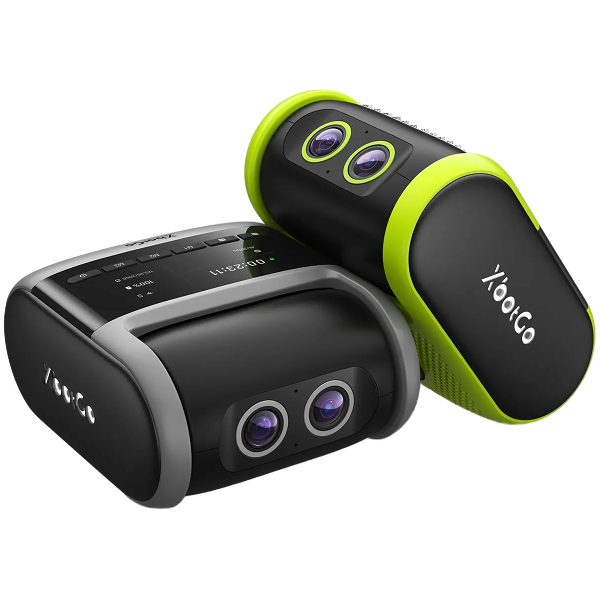
Broadcasting a full 90 minutes normally costs you a parent on the touchline holding a phone instead of watching their kid play. The Falcon removes that job: it is a standalone camera — no phone clamped to it, nothing to hold. Set it on a tripod, pick your sport mode, hit record, and go sit down.
Key Features:
Budget separately for a microSD card (required, not included) and a tripod. AI Analysis — player movement, heatmaps, and intensity — is an announced upcoming add-on rather than something shipping today.
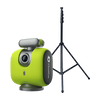
Best for: clubs, coaches, and travel teams streaming full fixtures; anyone who does not want to leave a phone on a 13-foot tripod for two hours. See the XbotGo Falcon
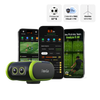
If you already own a recent flagship phone, you may not need a second camera sensor. The XbotGo Chameleon turns that phone into an AI-tracked sports camera: it supplies the AI co-processor, motorized rotation, and tripod mount, while your phone supplies the lens and does the recording.
Key Features:
Watch how easy it is to set up and start livestreaming with smart AI tracking.
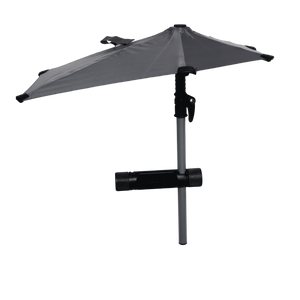
A few specifics before you pick this tier: the Chameleon connects over Bluetooth, so your stream's internet comes from the phone. Jersey-number tracking and AI Auto Editing currently cover Basketball mode, with more sports planned. Tilt range is ±15°, and heavy rain needs the separate Weather Guard Umbrella accessory. Individual-sport modes such as tennis and pickleball use optimized HD for better tracking, and iOS recording steps down to 720p/1080p while live monitoring is active.
See Chameleon's AI livestreaming in a real sports game — tracking the action hands-free.
Best for: parents, athletes, and teams on a tighter budget, indoor sports, and basketball in particular.

Key Features:
The X3 captures everything around you, so you never have to worry about where the camera is pointing — shoot first, reframe later, or livestream the whole scene and let viewers explore it in real time. Shoot, edit, and go live entirely from your phone; it is waterproof out of the box, so rain and poolside streams are fine.
Best for: action sports, outdoor adventures, and anyone who wants creative freedom over hands-free team coverage.

Key Features:
The larger sensor holds up where most action cameras turn grainy — evening scrimmages under dim lights, matches at dawn — and 4K/120fps keeps sprints and leaps blur-free. Going live means opening the DJI Mimo app; no cables, no extra gear.
Best for: sideline coaching clips and training documentation where you want pro-level detail from a pocket-sized body.

Key Features:
Two cameras in one: 360° capture one moment, classic GoPro framing in HERO mode the next, with HyperSmooth throughout. Livestream straight from the app in 1080p, and the six microphones pick up everything from the bounce of a ball to the sideline reaction.
Trade-offs: 360 files add editing time, and battery life is short. Best for: flexible, fun capture where you want to stay in the moment.

Key Features:
Mount it on the center line, hit "Go Live," and walk away to actually coach — the AI follows the ball across the 180° field with nobody babysitting the camera, and it streams over Wi-Fi, Ethernet, or a SIM if your club's internet is unreliable. Some users report it rotates too eagerly on non-ball sports.
Plan for the running cost: Veo states an active subscription is required for each camera to watch and analyze recordings in the Veo Editor, so the platform fee continues alongside the hardware.
Yes. If your team already scores and streams in GameChanger, you can feed an XbotGo camera into that same broadcast using GameChanger's External Camera option. Per GameChanger's support guide, three devices are supported — the Falcon, the Chameleon, and the Sports Gimbal — with the XbotGo app on version 4.4.7 or higher.
GameChanger caps external cameras at 1080p and states that video streamed above 1080p will not broadcast or record. The Falcon shoots native 4K, so select 1080p or lower in the XbotGo app before kickoff — otherwise you can reach full time with nothing saved. Because the feed arrives over RTMPS, all picture controls live in the XbotGo app, not GameChanger.
On Falcon, GameChanger streaming uses mobile data by default. To use Wi-Fi, set it first in the XbotGo app (live settings → Video & Network Settings → Select Wi-Fi Network), then open GameChanger. XbotGo publishes its half of the process in its own GameChanger livestream guide. A public YouTube or Facebook stream is a separate one-tap action — you are not choosing one or the other for the season.
The camera causes the fewest problems on match day. These four decide whether the stream stays up:
Still weighing hardware? Our roundup of AI auto-tracking cameras for sports compares the tracking systems in more depth.
For team sports, the best camera is a standalone AI auto-tracking camera such as the XbotGo Falcon, because it frames the play without anyone operating it and streams free to YouTube, Facebook, and RTMP. For action sports, cycling or individual training, a 360 or action camera such as the Insta360 X3, GoPro MAX or DJI Osmo Action 5 Pro is the better fit.
Full broadcast production uses multi-camera setups with dedicated switchers and operators. For club, school, and youth-level broadcasting, a single AI auto-tracking camera on a tall tripod delivers most of the same viewing experience without a crew, which is why it has become the standard for amateur streaming.
It depends on the camera. XbotGo's core recording, tracking, and live streaming work without a subscription as a one-time purchase. Veo states that an active subscription is required for each camera to watch and analyze recordings in its Editor. Always check whether the platform fee is separate from the hardware before you buy.
Yes. GameChanger's support guide lists the XbotGo Falcon, Chameleon, and Sports Gimbal as supported external cameras, with the XbotGo app on version 4.4.7 or higher. In the GameChanger app you open the event, tap Record Video, choose External Camera, then tap XbotGo and finish the connection in the XbotGo app. You end the stream from the XbotGo app, not from GameChanger.
1080p or lower. GameChanger supports a maximum streaming resolution of 1080p for external cameras and states that video streamed above 1080p will not be broadcast or recorded. Even though the Falcon shoots native 4K, set the XbotGo app to 1080p or lower before you go live.
A stable Wi-Fi connection is ideal. Where fields have no Wi-Fi, a phone hotspot or a SIM in the camera both work, but streaming a full game can use several gigabytes of data. Test the signal from the exact spot where the camera will stand, not from the clubhouse.
Yes, on most dedicated sports cameras. The XbotGo Falcon records to a microSD card while streaming, so a dropped connection costs you the live feed but not the game footage. The card is required and is not included in the box.
Filming a team, from one fixed position, for a whole season? A standalone auto-tracking camera earns its place. Filming a person, in motion, close up? An action or 360 camera will serve you better.
The XbotGo Falcon is built for smart, reliable, hands-free livestreaming — go live, reach more people, and never miss a moment again.